Basic Settings
Basic pre-generation config — project, table, field, and foreign-key dimensions, available to all users.
Before generating code you can configure four dimensions. Basic settings are available to all users and decide “what gets generated”; more advanced engineering capabilities live in Advanced Settings.
Project settings
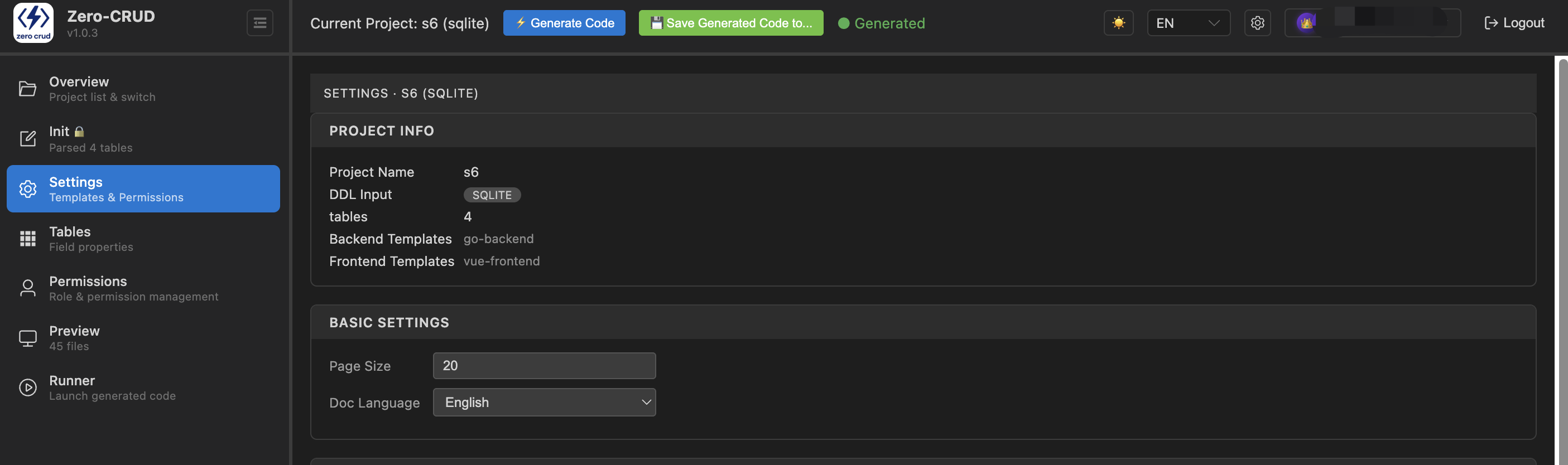
Configured when you create a project; it decides the skeleton of the whole project:
- Project name: letters / digits / underscores / hyphens
- Database dialect: SQLite / MySQL / PostgreSQL / MariaDB — generates the matching
init.sqland connection config - Backend templates: Go / Python (FastAPI) / TypeScript (Express) / Java (Spring Boot) — multiple allowed
- Frontend templates: Vue (Element Plus) / React — multiple allowed
- Java package (when Java backend is selected): a clean package structure (e.g.
com.example, max two levels)
Table settings
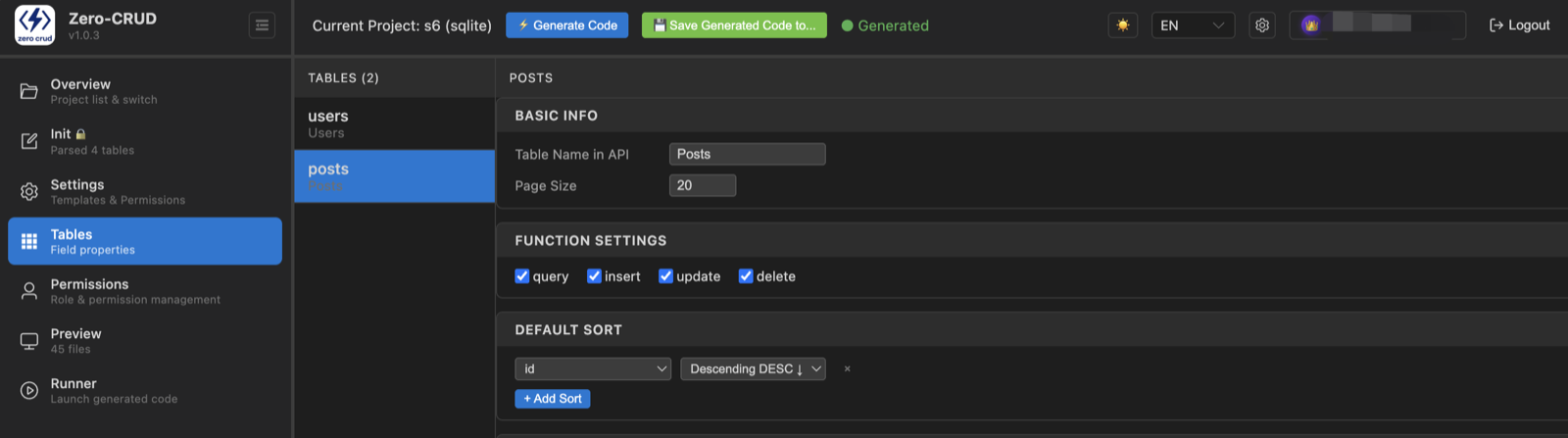
- Page size: the default page size of list endpoints (2–1000)
- Each table’s fields and relationships are managed under the Tables navigation (see Workbench & Usage)
Field settings
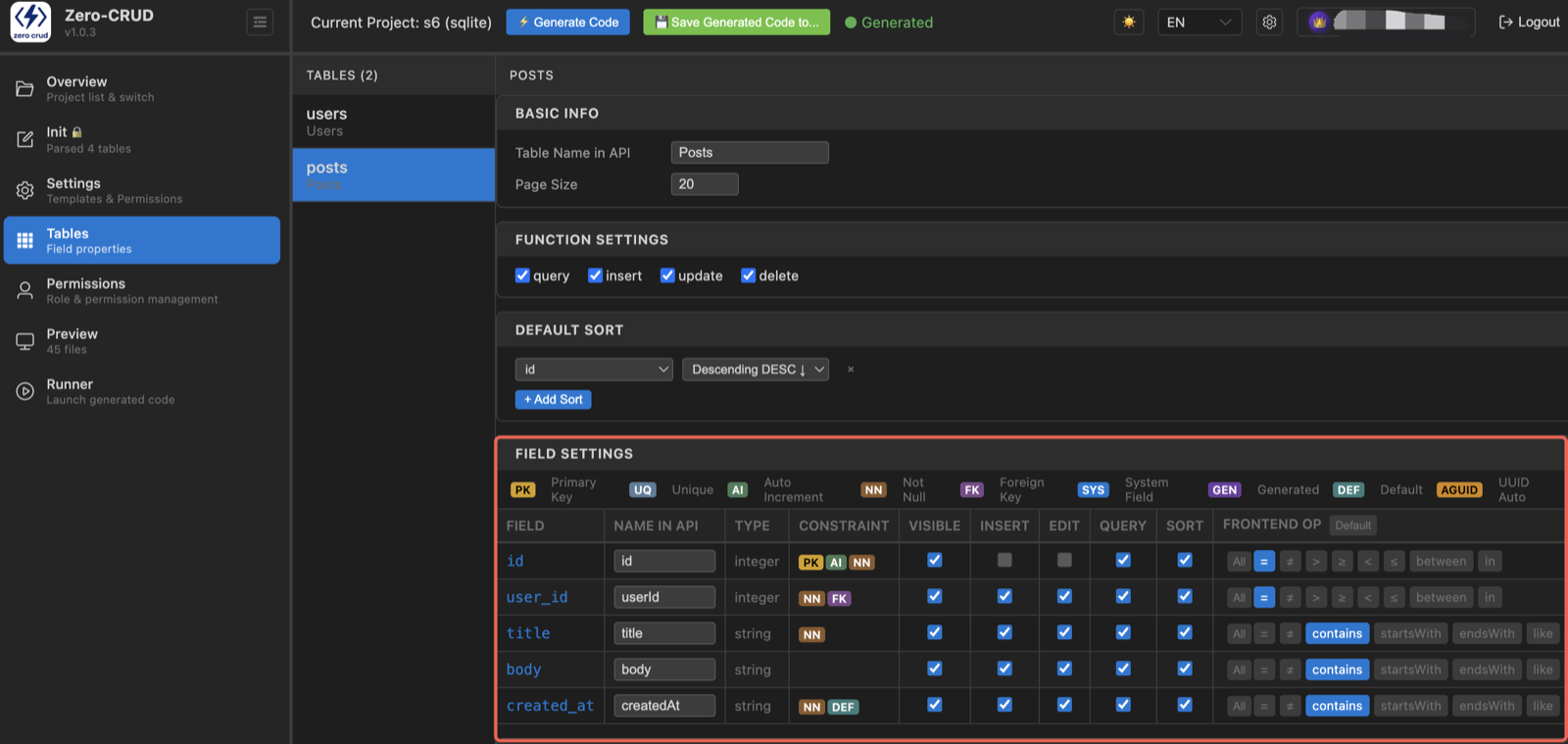
- Field attributes: type, whether it’s a primary key, whether it’s queryable / insertable / updatable — these directly decide the generated API behavior (e.g. a non-insertable field can’t be written in a Create request)
- Field validation: configure required / length validation per field, generated into the code
Foreign key settings
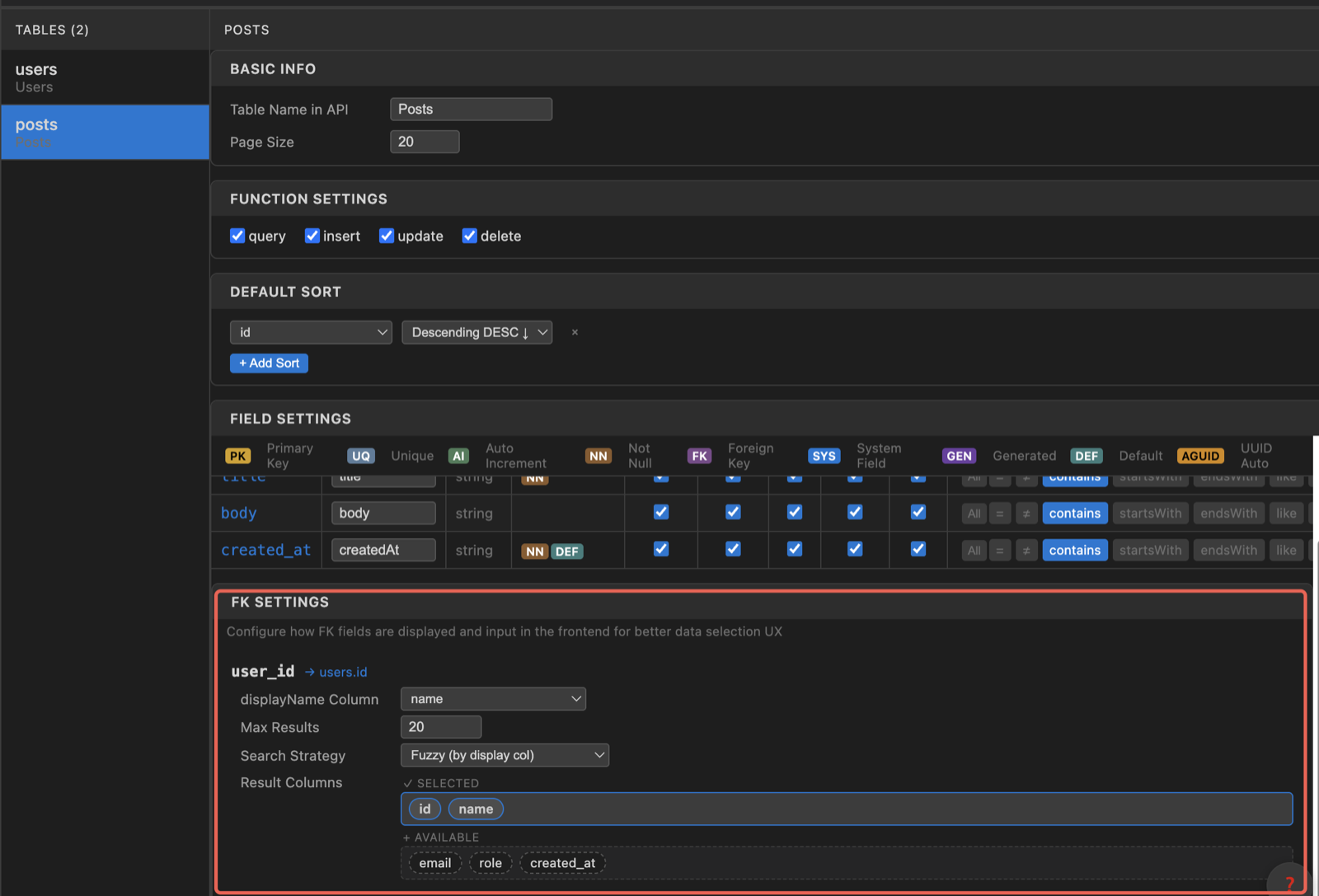
- Foreign-key relationships between tables decide associations & data integrity in the generated code
- The referenced table must be inside the project’s DDL; constrained cases (such as referencing composite primary keys) are surfaced as warnings during parsing
FAQ
- Do I need to regenerate after changing settings? Yes. Basic-setting changes only land in the actual code after you regenerate.