Understanding the Generated Code
After generating, get to know each directory and file — and how to run it.
One generation = one complete runnable project: every backend and frontend you select ships with its own init.sql, Dockerfile, docker-compose.yml, and README.md. Start with the README — it has the most direct run instructions.
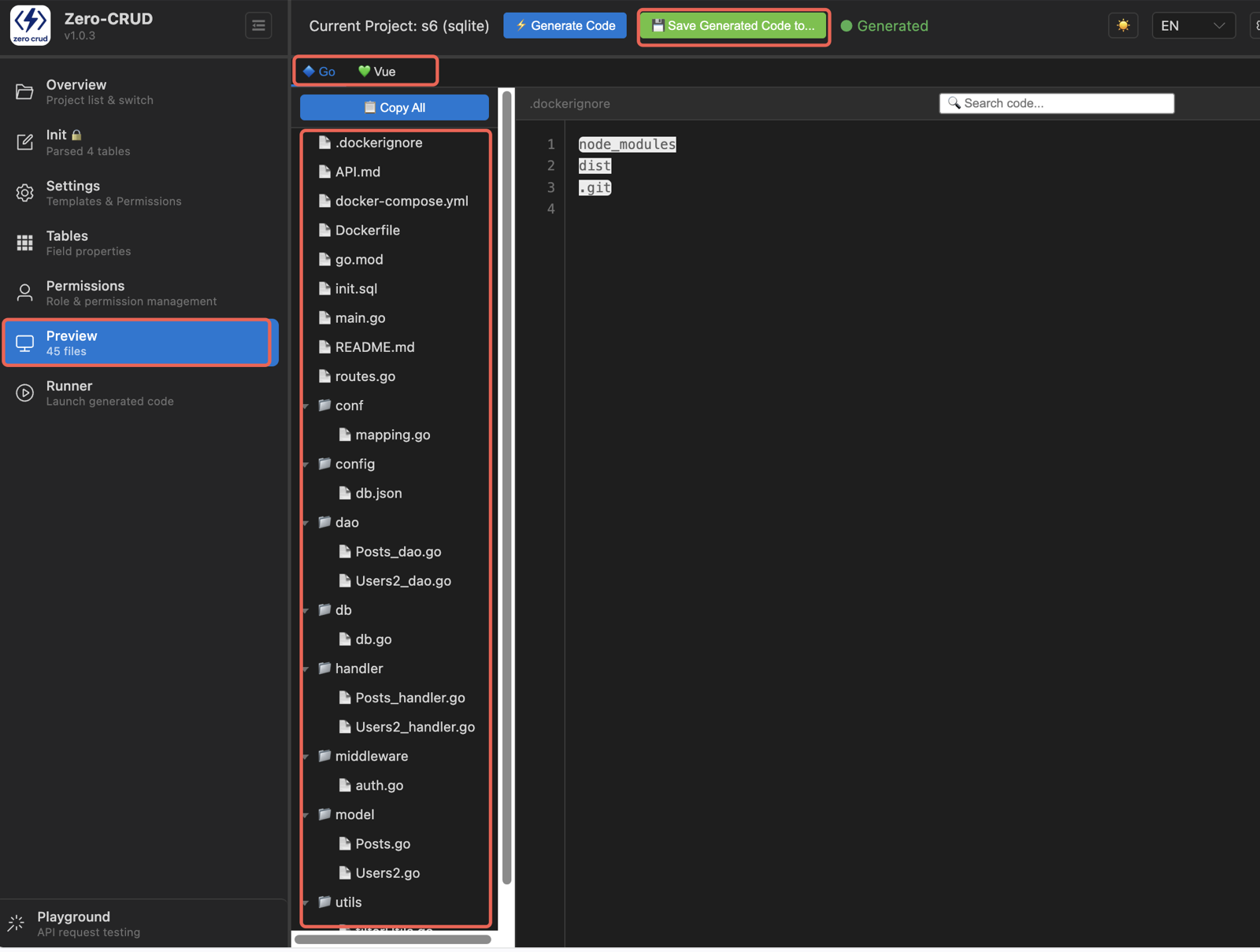
Top-level structure
project/
├── {backend}/           ← each backend you select (multiple allowed)
│   ├── init.sql         ← table-creation script (auto-mounted by Docker)
│   ├── README.md        ← run guide (requirements / start / Docker / env vars)
│   ├── Dockerfile       ← container image
│   └── docker-compose.yml ← one-command orchestration (backend + database)
└── {frontend}/          ← each frontend you select (Vue / React)
    └── README.md        ← run guide (start / build / deploy)
Select multiple backends and you get multiple backend directories, each independent and complete; same for frontend directories.
init.sql,Dockerfile,docker-compose.yml, andREADME.mdexist in every directory, not just once at the top.
Backend (per language, full directory tree)
Each backend is a minimal complete project that runs out of the box: entry point, data layer, endpoints, middleware, config, and containerization are all there.
Go (go_backend)
├── main.go                      ← entry + routing
├── db/db.go                     ← database connection
├── middleware/auth.go           ← auth middleware
├── conf/mapping.go              ← name mapping (API ↔ DB)
├── utils/
│   ├── filterUtils.go           ← SQL filter, sort, quoting
│   └── permissionUtils.go       ← permission utilities
├── model/                       ← data models
├── dao/                         ← data-access layer
├── handler/                     ← HTTP handlers
├── config/
│   ├── permissions.json         ← permission config
│   └── db.json                  ← database config
├── init.sql                     ← table-creation script
├── Dockerfile
├── docker-compose.yml
├── README.md
└── go.mod
Python FastAPI (python-backend)
├── main.py                      ← entry
├── init/dbConnecter.py          ← database connection
├── auth/                        ← auth module
├── dao/                         ← data-access layer
├── routes/                      ← routes
├── schema/                      ← model definitions
├── config/                      ← config files
├── init.sql                     ← table-creation script
├── Dockerfile
├── docker-compose.yml
├── README.md
└── requirements.txt
TypeScript Express (ts-backend)
├── app.ts                       ← entry
├── init/dbConnecter.ts          ← database connection
├── auth/                        ← auth module
├── dao/                         ← data-access layer
├── routes/                      ← routes
├── types/                       ← type definitions
├── validation/                  ← request validation
├── config/                      ← config files
├── init.sql                     ← table-creation script
├── Dockerfile
├── docker-compose.yml
├── README.md
└── package.json
Java Spring Boot (java-backend)
├── pom.xml                      ← Maven config (incl. mvnw)
├── src/main/resources/
│   ├── application.yml          ← Spring config
│   └── permissions.json         ← permission config
├── src/main/java/.../
│   ├── Application.java         ← entry
│   ├── entity/*.java            ← JPA entities
│   ├── repository/*Repository.java ← data access
│   ├── service/*Service.java    ← business logic
│   ├── controller/*Controller.java ← REST controllers
│   └── config/
│       ├── DataSourceConfig.java
│       ├── RequestContextHolder.java
│       ├── UserContextFilter.java
│       ├── PermissionService.java
│       ├── SpecificationBuilder.java
│       └── FieldMaskAdvice.java
├── init.sql                     ← table-creation script
├── Dockerfile
├── docker-compose.yml
└── README.md
Frontend (Vue / React)
The frontend is a complete admin-interface project: per table a set of “list + form” pages, routing, a typed API client, and bilingual copy.
src/
├── main.ts / main.tsx           ← app entry
├── App.vue / App.tsx
├── router/                      ← hash router (list + form per table)
├── api/                         ← typed API client (one per table)
├── types/                       ← TypeScript types (one per table)
├── views/
│   └── {entity}/                ← ListView + FormView per table
└── lib/i18n.ts                  ← bilingual (zh/en) UI copy
Generated list pages ship with pagination & filtering; form pages render controls based on field type — build your business logic directly on top.
How to run it
Easiest: use Runner Click Runner in VS Code to start everything in one click — database, dependencies, and ports are handled automatically (see Runner Usage).
Run manually (TS backend + Vue frontend example)
# 1. Start the backend (auto-creates DB + tables)
cd ts_backend
npm install
npm run dev        # listens on the port in the README

# 2. Start the frontend
cd ../vue_frontend
npm install
npm run dev        # proxy points to the backend port
One-command container startup Run this inside any backend directory (auto-starts backend + database):
docker compose up -d --buildOther languages work the same way: follow the README’s start commands, or use Docker. Every backend README has full instructions for startup, Docker, and environment variables.
Database
init.sqlis a table-creation script — only the table definitions the generated code needs; it contains no data- Under Docker deployment,
init.sqlauto-mounts into the database container’s init directory - Runner already creates the database and runs init; for manual deployment, run it yourself once
Limitation:
init.sqlcovers only the core table structure the generated code needs. Charsets, DB engines, views, triggers, stored procedures are not included — replace it with your own full initialization SQL during development.