Runner Usage
Start generated code with one click — Runner prepares the database automatically and runs it locally.
Runner actually runs the generated backend/frontend on your machine and prepares the database automatically. It saves you the manual work of “install dependencies, create DB, configure ports”.
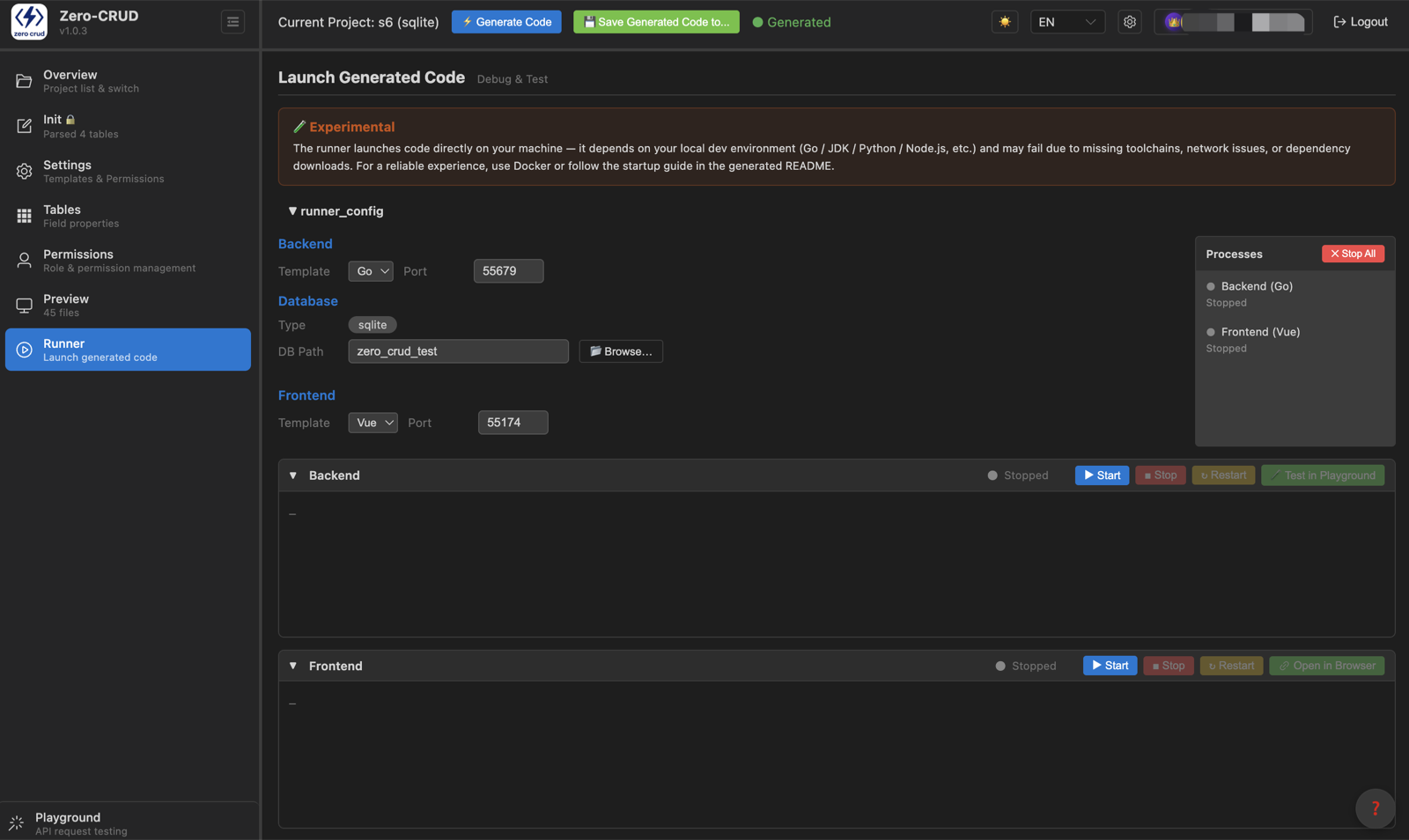
🧪 Experimental feature: Runner starts/stops processes on your machine and depends on your local dev environment (Go / JDK / Python / Node.js, etc.) — success depends on toolchains being installed, network conditions, and dependency downloads. For a stable runtime, deploy with Docker or follow the run guide in the project README.
Database: auto-prepared, never overwritten
When starting the backend, Runner checks the target database automatically:
- Database doesn’t exist → creates it and runs the project’s
init.sql(tables + seed data) - Database already exists → skips it; never overwrites your existing data
That’s the safety promise: your data always comes first. To rebuild a database, delete it manually first, then start.
Start the backend
Pick a backend (Go / Python / TypeScript / Java); Runner automatically:
- Checks and installs dependencies (Go modules, Python
pip, TSnpm, Java Maven) - Starts the service, streaming logs in real time
- Tells you the listening port
Preinstall locally: the matching runtime (Go / Python / Node / JDK) and database driver service (MySQL / PostgreSQL / SQLite / MariaDB need none).
Docker mode
When the backend directory contains Dockerfile / docker-compose.yml, you can run it in a Docker container instead, avoiding local-environment dependencies.
Start the frontend
Pick a frontend (Vue / React); Runner automatically:
- Installs dependencies
- Starts the dev server
- Points the proxy at the current backend port automatically — frontend and backend are wired up directly; change the backend port and you don’t edit frontend config manually
Control area
- Start / Stop: backend and frontend each controlled independently
- Log panel: real-time output, auto-follow at the bottom
- Switch project: Runner auto-stops the old project’s processes to avoid port conflicts
FAQ
- Port already in use? Runner tries to clean up its own leftover processes; if another program holds it, free the port manually.
- Startup failed? Usually a missing local runtime or an unreachable database — follow the log hints to install it.
- Regenerated in a different language? Just click Start again after generating; Runner re-runs dependency + startup.